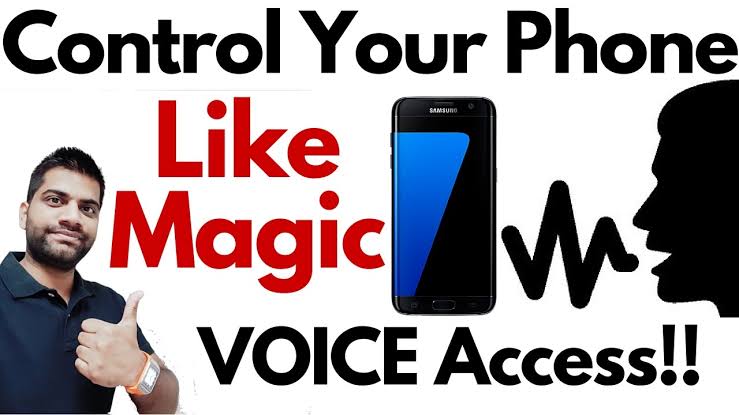
Mobile Control From Voice: A Smarter Way to Use Your Smartphone
Voice control technology has transformed the way people interact with their smartphones. Instead of tapping the screen for every task, users can simply speak commands to perform various actions. Whether you want to make a phone call, send a message, play music, or open an app, voice control makes everything faster and more convenient. It is especially useful while driving, cooking, exercising, or when your hands are occupied.
What Is Mobile Voice Control?
Mobile voice control is a feature that allows users to operate their smartphones using spoken commands. It uses artificial intelligence (AI) and speech recognition technology to understand what you say and perform the requested action. Most modern Android and iPhone devices already include built-in voice assistants, making this feature easy to access without installing extra software.
Key Features of Voice Control
Voice control offers many useful features that improve the smartphone experience. Some of the most popular functions include:
- Open apps using voice commands.
- Make phone calls without touching the screen.
- Send text messages by speaking.
- Set alarms and reminders.
- Search the internet instantly.
- Play music or videos.
- Get weather updates and news.
- Control smart home devices.
- Navigate using GPS and voice directions.
These features save time and make everyday tasks much easier.
Benefits of Mobile Voice Control
One of the biggest advantages of voice control is convenience. You can use your phone even when your hands are busy. It also improves safety by reducing the need to touch your phone while driving.
Voice control is also very helpful for elderly users and people with disabilities. It allows them to operate their devices more comfortably without relying on touch controls. In addition, voice assistants continue learning user preferences, providing more accurate and personalized responses over time.
Popular Voice Assistants
Several voice assistants are available for smartphones today. Some of the most popular include:
- Google Assistant for Android devices.
- Apple’s Siri for iPhones.
- Amazon Alexa for compatible smartphones and smart home devices.
Each assistant can perform tasks like answering questions, setting reminders, playing media, and controlling connected smart devices.
How to Enable Voice Control
Enabling voice control is simple. On most Android phones, open the Settings app, search for “Voice” or “Google Assistant,” and follow the setup instructions. On iPhones, go to Accessibility or Siri settings and enable Voice Control or Siri.
After setup, you can activate the assistant using a wake phrase or by pressing the designated button, depending on your device settings.
Is Voice Control Safe?
Voice assistants are generally safe when used correctly. However, users should protect their privacy by reviewing microphone permissions and voice recording settings. Avoid speaking sensitive information in public places, and keep your phone updated with the latest software to benefit from security improvements.
Download
Final Thoughts
Mobile voice control is changing the way people use smartphones. It makes everyday tasks quicker, easier, and more accessible for everyone. Whether you need hands-free calling, quick internet searches, or smart home control, voice assistants provide a simple and efficient solution. As artificial intelligence continues to improve, voice control will become even more accurate and useful, making smartphones smarter than ever before. If you have not tried voice control yet, now is a great time to explore this powerful feature and enjoy a faster, hands-free mobile experience.