Wi-Fi QR Code Password Scanner: A Complete Guide to Seamless Connectivity
In today’s hyper-connected world, Wi-Fi access has become as essential as electricity or running water. Whether at home, in offices, cafes, hotels, or public spaces, users expect fast and hassle-free internet connectivity. However, one persistent inconvenience remains: entering long, complex Wi-Fi passwords. This is where Wi-Fi QR code password scanners come into play. By simplifying how users connect to wireless networks, these tools have transformed the way we share and access Wi-Fi.
This article explores what Wi-Fi QR code password scanners are, how they work, their benefits, use cases, security considerations, and their growing role in modern digital environments.
What Is a Wi-Fi QR Code Password Scanner?
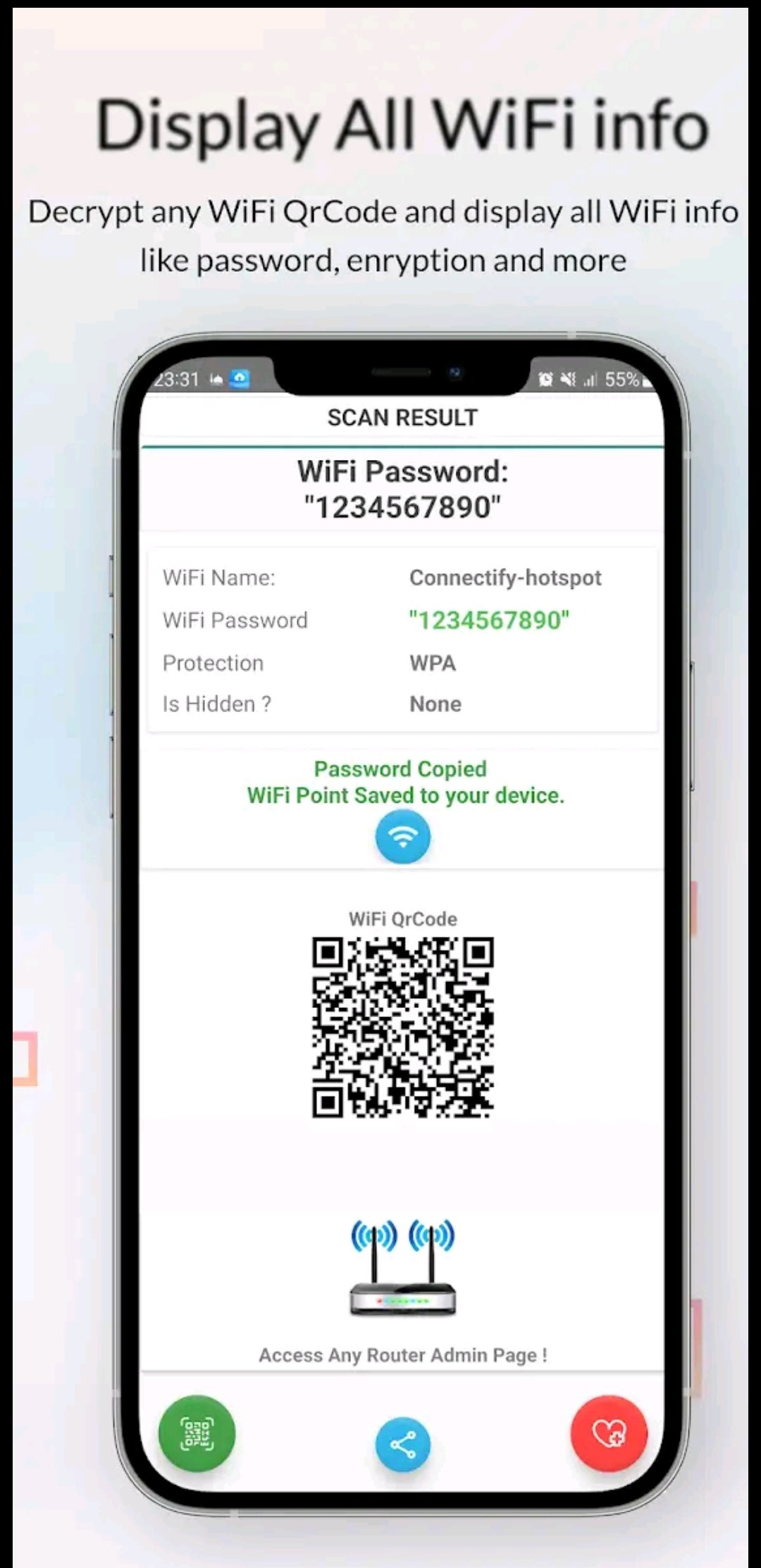
A Wi-Fi QR code password scanner is a tool—typically a smartphone app or built-in camera feature—that allows users to connect to a wireless network by scanning a QR code. The QR code contains encoded Wi-Fi credentials such as the network name (SSID), password, and encryption type. Once scanned, the device automatically connects to the network without requiring the user to manually type the password.
These QR codes can be generated using apps, routers, operating system settings, or online QR code generators. Most modern smartphones support scanning Wi-Fi QR codes directly through their camera or system settings.
How Wi-Fi QR Code Password Scanners Work
At the core of this technology is the QR (Quick Response) code, a two-dimensional barcode capable of storing various types of data. When used for Wi-Fi access, the QR code follows a standardized format, often like this:
WIFI:T:WPA;S:NetworkName;P:Password;;
Here’s how the process works step by step:
- QR Code Generation
A Wi-Fi network owner generates a QR code containing the SSID, password, and security protocol. - QR Code Display or Sharing
The code can be printed, displayed on a screen, shared as an image, or embedded in signage. - Scanning the QR Code
A user scans the code using a QR code scanner app or the device’s native camera. - Automatic Network Connection
The device reads the encoded credentials and prompts the user to connect instantly.
This process eliminates human error, reduces connection time, and improves overall user experience.
Benefits of Wi-Fi QR Code Password Scanners
1. Convenience and Speed
The most obvious benefit is convenience. Users no longer need to ask for the password or struggle with complex combinations of letters, numbers, and symbols. A single scan connects them instantly.
2. Reduced Errors
Manual password entry often leads to mistakes, especially with case-sensitive characters. QR code scanning ensures accurate transmission of credentials every time.
3. Enhanced User Experience
In environments like cafes, hotels, coworking spaces, and events, offering Wi-Fi via QR code creates a smooth and professional experience for guests.
4. Easy Sharing Without Verbal Disclosure
Instead of verbally sharing a password—where it might be overheard or misremembered—QR codes provide a controlled and visual way to share access.
5. Cross-Platform Compatibility
Wi-Fi QR code scanners work across Android, iOS, tablets, and even laptops, making them highly versatile.

Common Use Cases
Home Networks
Families and guests can connect to home Wi-Fi quickly without writing passwords on paper or repeating them multiple times. Some routers even print the QR code directly on the device.
Businesses and Offices
Companies use QR codes to allow visitors internet access without compromising internal networks. Separate guest networks with QR access are common in modern offices.
Cafes, Restaurants, and Hotels
Hospitality businesses widely adopt Wi-Fi QR codes to improve customer satisfaction. Many display QR codes on tables, menus, or reception desks.
Events and Conferences
Large gatherings benefit greatly from QR-based Wi-Fi access, reducing congestion at help desks and ensuring quick connectivity for attendees.
Educational Institutions
Schools and universities use Wi-Fi QR codes for students and visitors to simplify onboarding and reduce IT support requests.
Wi-Fi QR Code Scanners on Different Platforms
Android
Most modern Android devices support Wi-Fi QR scanning directly from settings or the camera app. Users can also share their connected Wi-Fi network as a QR code.
iOS
Apple introduced native Wi-Fi QR code scanning in recent iOS versions. Users can scan QR codes using the camera, and the device automatically recognizes Wi-Fi credentials.
Third-Party Apps
Numerous apps offer advanced features such as saving scanned networks, generating custom QR codes, or managing multiple connections. These are especially useful for businesses and network administrators.
Security Considerations
While Wi-Fi QR code password scanners are convenient, they also raise important security considerations:
1. Unauthorized Access
Anyone who can see or photograph the QR code can potentially access the network. For this reason, QR codes should be placed thoughtfully.
2. Password Changes
If a QR code is widely shared and the password changes, the QR code must be regenerated to reflect the new credentials.
3. Fake or Malicious QR Codes
Users should be cautious when scanning QR codes in public places. Malicious QR codes could redirect users to phishing websites or prompt unsafe actions, although Wi-Fi QR codes themselves are generally safe.
4. Guest Networks
To mitigate risks, it is recommended to use QR codes with guest Wi-Fi networks rather than primary or internal networks.
Overall, when implemented responsibly, Wi-Fi QR codes are considered safe and secure for everyday use.
Advantages Over Traditional Password Sharing
Traditional methods of sharing Wi-Fi passwords include verbal communication, handwritten notes, or text messages. Compared to these, QR code scanning offers several advantages:
- No need to remember or store passwords manually
- Faster onboarding for multiple users
- Cleaner and more professional presentation
- Reduced support burden for IT or staff
- Better control over guest access
These advantages make Wi-Fi QR code scanners particularly valuable in environments with frequent visitors.
The Role of Wi-Fi QR Codes in Smart Environments
As smart homes, smart offices, and IoT ecosystems continue to grow, seamless connectivity becomes even more critical. Wi-Fi QR codes fit naturally into this evolution by providing frictionless access to networks for new devices and users.
In smart homes, QR codes can simplify connecting new gadgets. In smart offices, they help manage guest access dynamically. As digital transformation accelerates, the demand for simple, secure connectivity solutions like QR-based Wi-Fi access will continue to rise.
App Link
Future Trends and Developments
The future of Wi-Fi QR code password scanners looks promising. Emerging trends include:
- Dynamic QR Codes that expire after a set time
- Integration with Network Management Systems
- Enhanced Encryption and Authentication Layers
- Customized Branding for Businesses
- Analytics on Network Usage via QR Access
These innovations will further improve security, usability, and scalability.
Conclusion
Wi-Fi QR code password scanners represent a simple yet powerful innovation in wireless connectivity. By eliminating the need for manual password entry, they save time, reduce errors, and significantly improve user experience. From homes and businesses to public spaces and smart environments, their adoption continues to grow rapidly.
While users should remain mindful of basic security practices, the benefits far outweigh the risks when QR codes are used responsibly. As connectivity becomes increasingly central to everyday life, Wi-Fi QR code password scanners stand out as a practical, efficient, and modern solution for seamless internet access.